

JOOMLA BULK CONTENT IMPORT

Turn spreadsheets into Joomla content.
In minutes.

Create or update hundreds - even thousands - of Joomla articles, categories, users and products from Excel, CSV or ODS. No repetitive copy-paste. No database work. No coding required.

Joomla 3, 4, 5 & 6 Excel / CSV / ODS Articles, images, custom fields & more

Test Content Uploader with a real spreadsheet before you install it.

1,000s

of rows imported at once

Every field

content, metadata, images & custom fields

Reusable

save and reuse import profiles

Built for Joomla

a familiar admin workflow

What you can do

Bulk content work without the bulk work

Use the spreadsheet workflow your team already understands, while keeping full control over Joomla content structure and publishing.

Create & update content

Import new articles or update existing ones by ID. Map categories, aliases, tags, access levels, featured status and publishing data.

Build reusable templates

Design your article layout once, then merge spreadsheet values into placeholders while preserving consistent HTML and formatting.

Control Joomla parameters

Map metadata, author data, dates, languages, images, SEO fields and virtually every article parameter from your file.

Populate custom fields

Import Joomla Custom Fields and supported extension data for directories, catalogues, structured content and e-commerce workflows.

Import at scale

Process hundreds or thousands of rows in one operation—ideal for agency builds, product catalogues and recurring publishing jobs.

Move configurations

Export and reuse import configurations across development, staging and production sites instead of rebuilding mappings from scratch.
See the workflow

From spreadsheet to Joomla in 3 steps

Turn spreadsheet rows into Joomla articles - complete with categories, images, metadata and custom fields - without copying and pasting everything manually.

1
Prepare your spreadsheet

Upload your own XLSX, CSV or ODS file, or start with our ready-made sample template.

2
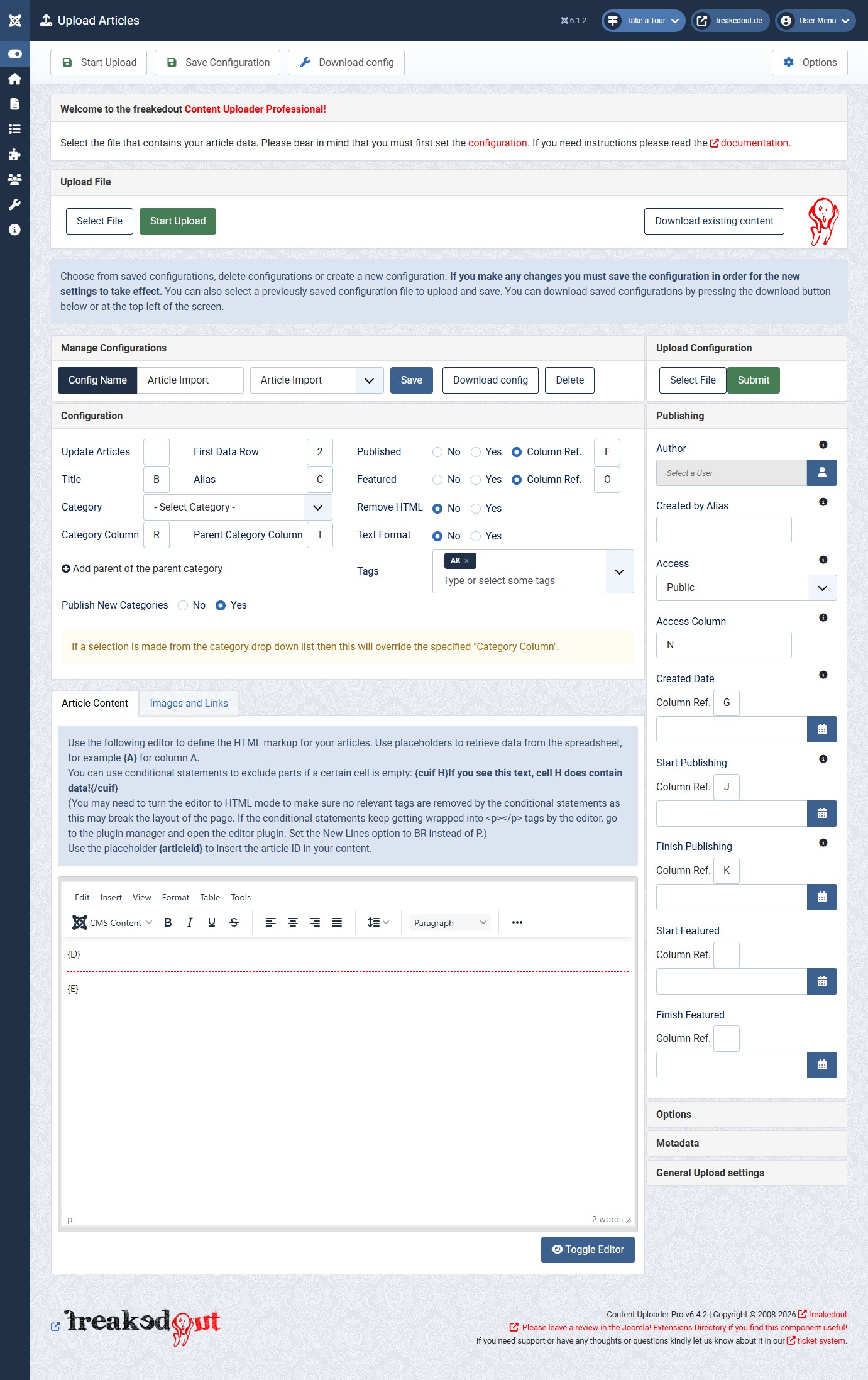
Map columns to Joomla fields

Match your spreadsheet columns with Joomla titles, categories, article content, images, metadata, custom fields and more.

3
Import your content

Import hundreds or thousands of rows at once. Your configuration remains saved to make future imports even faster.

Phoca CartWe're thrilled to share some exciting news with you today! After months of hard work and dedication, we're delighted to announce that the Content Uploader extension now supports importing products directly to Phoca Cart, one of the leading e-commerce extensions for Joomla.

At freakedout, we understand the importance of streamlining your processes and providing you with the tools you need to succeed. That's why we've been working tirelessly to enhance the functionality of our Content Uploader extension and make it even more powerful and versatile.

With this latest update, you can now import your products from various sources directly into Phoca Cart with just a few clicks. Whether you're migrating from another installation, updating your product catalog, or adding new items to your store, the Content Uploader makes the process quick, easy, and hassle-free.

Get Content Uploader Pro

Here are some key features of the new Phoca Cart integration:

  • Effortless Product Import: Say goodbye to manual data entry! With the Content Uploader, you can import products to Phoca Cart in bulk, saving you time and effort.

  • Flexible Data Mapping: Customize the import process to suit your specific needs. Map all product attributes such as name, description, price, and category effortlessly, ensuring accurate data transfer.

  • Support for Various File Formats: Whether you're importing products from CSV files, Excel spreadsheets, or other sources, the Content Uploader supports a wide range of file formats for maximum flexibility.

  • Automatic Error Handling: Worried about data inconsistencies or formatting errors? The Content Uploader automatically detects and handles errors during the import process, ensuring smooth and error-free imports.

  • Seamless Integration: Enjoy seamless integration with Phoca Cart, ensuring that your imported products are seamlessly integrated into your online store without any compatibility issues.

We're confident that this new feature will revolutionize the way you manage your e-commerce operations and help you take your online store to new heights.

Happy uploading!


Get Content Uploader Pro

Publishing and migration

From bulk publishing to content migration

Use Content Uploader for recurring content imports and updates, or for larger migration projects where speed, consistency and control matter.

Bulk publishing & updates

For teams that already have content in spreadsheets and need to create or maintain Joomla content efficiently.

  • Articles and categories
  • Images, tags and metadata
  • Custom fields and extension data
  • Recurring updates by article ID

Explore Content Uploader

Migrate Joomla 3 → Joomla 5 / 6

For rebuilds and upgrade projects that need a controlled export/import workflow without manual database operations.

  • Move articles and categories
  • Transfer images and structured data
  • Useful for agencies and rebuilds
  • Start from the migration checklist

See migration workflow

What people are saying about us

Ready to stop copying content into Joomla?

Test the workflow with a real spreadsheet before you install anything.